Split-billing payout procedure
With split billing there are at least two parties: one employer account and at least one employee account. Both have separate logins on the Wattify platform.
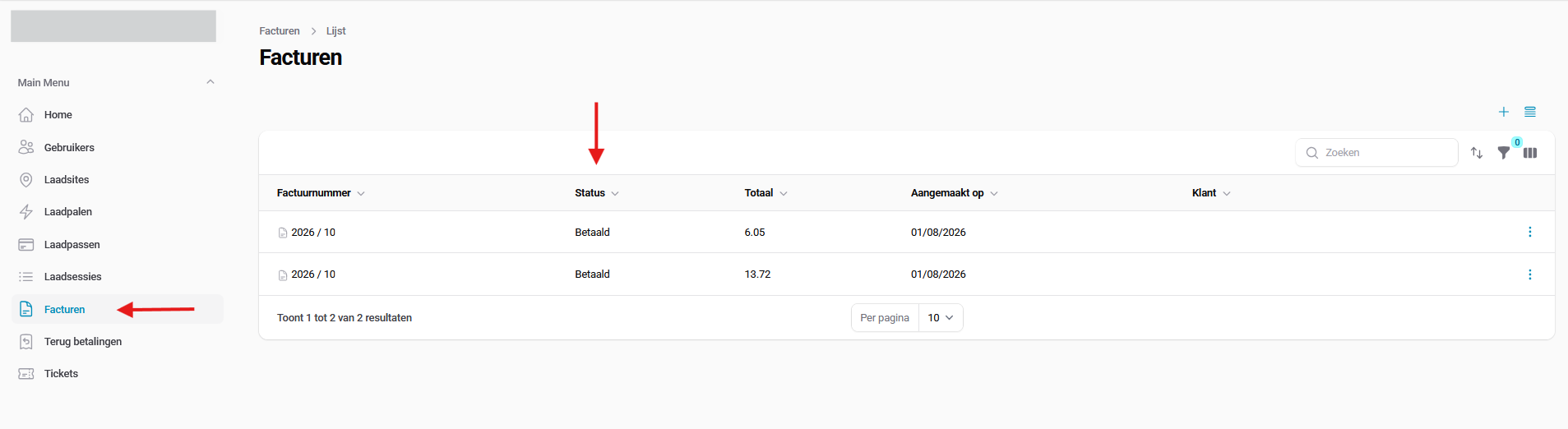
You can track the status of your invoices yourself by logging in to your user profile. Go to "Invoices" to view the current status of an invoice: paid or possibly unpaid.
Please note that these statuses are updated automatically at least once a day. When a client invoice is paid, the status changes accordingly, but the linked payouts for your employees also change from "unpaid" to "to be paid out". "To be paid out" means the payout is made on the first Monday following payment of the invoice.
Once a payout is marked as paid, this means we have paid the employee. The IBAN used for the payout is also visible in the payout overview. If no IBAN is visible, the employee receives weekly reminders via their linked email address to enter their IBAN.
Related articles
Did this answer your question
Thank you for your feedback
Did not find an answer?
Our team is just an email away and ready to answer your questions